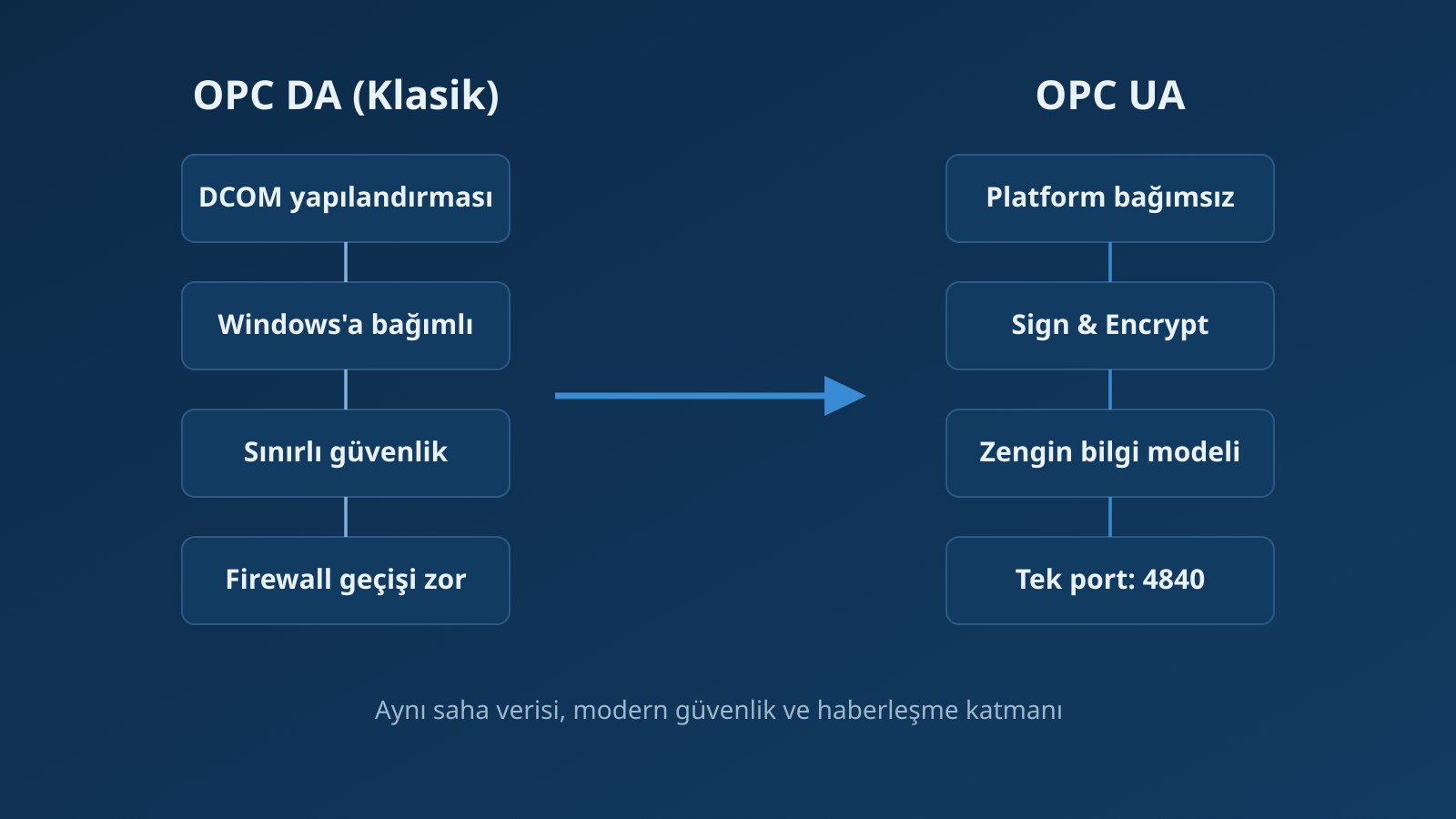
OPC DA has been the backbone of industrial data communication for more than 25 years. Much of the field still runs on DA, and the data flows reliably. So why is migration on the agenda? Because DCOM, the foundation OPC DA stands on, increasingly clashes with today’s security and network requirements. OPC UA carries the same data in a platform-independent, encrypted and firewall-friendly way.
Migration does not happen in one step. A bridge or tunnel layer lets DA and UA coexist for a while; applications move to UA one by one and DA connections are closed last.
Why migrate?
- DCOM fragility: complex to configure, hard to troubleshoot when it fails, and connecting machines across a firewall requires multiple permissions and settings.
- Security expectations: the OPC DA security model assumes a trusted network interior, an assumption that no longer holds as production networks are separated from corporate ones (OT network segmentation).
- Platform dependence: DA runs only on Windows, which strains virtualization, Linux-based servers and air-gapped architectures.
- New devices speak OPC UA: current PLCs, historians and panels ship with OPC UA server/client capability; a DA connection increasingly means a translation layer.
What does OPC UA bring?
- A single port (default 4840) that traverses firewalls and a manageable network structure.
- End-to-end encryption with Sign and Sign & Encrypt modes, and certificate-based trust.
- An application stack that can run beyond Windows.
- More than a plain tag list: type information, units and a rich hierarchical information model.
For an architectural comparison, see the OPC technology service page.
The migration path
How to plan the migration
- Inventory. List DA server/client pairs, tag lists and which application consumes which data. Add owner, data rate and criticality for each connection.
- Bridge setup. A platform such as Kepware KEPServerEX can serve both DA and UA at the same time, so both worlds coexist while clients move to UA one by one. For legacy connections where a DA client remains against a UA server, tunnelling or wrapper solutions remove DCOM between machines. OPC Router can also be considered for data routing and transformation.
- Security design. Certificate management, user permissions and network segmentation are defined together with the migration (OPC UA certificate operations). Trust lists and certificate-renewal responsibilities should be written down from the start.
- Validation. Data quality, scan rates and historical continuity are tested against the old system, including timestamps and quality codes (timestamps and quality in production data).
- Retirement. DA connections are closed in a planned sequence; DCOM settings and open ports are cleaned up.
DA and UA: a short comparison
| Topic | OPC DA | OPC UA |
|---|---|---|
| Transport | COM / DCOM (Windows) | OPC UA TCP or HTTPS; platform independent |
| Security | DCOM / operating-system permissions | Certificates, signing, encryption, user authentication |
| Firewall | Dynamic ports; complex | Single port; easy |
| Data model | Flat tag list | Object-oriented information model, types, units |
| History and events | Separate specifications (HDA, A&E) | Integrated in one architecture |
| Lifecycle | Legacy; declining in new devices | Current, evolving standard (IEC 62541) |
Common pitfalls
- Flattening everything to plain numbers and strings, ignoring the UA type system.
- Clients that tested fine before the trust list was set up, losing connection later.
- Changing network segmentation without aligning it with the applications.
- Not tracking certificate expiry dates; production loses a connection one night.
OPC DA keeps working as long as it stays in production, but the migration will happen one day. Starting a planned transition today, driven by your own risks rather than by an outage, is the sensible path. To take an inventory of your existing connections and plan the migration, get in touch with us.
Frequently asked questions
Do I have to leave OPC DA?
There is no mandatory deadline, but DCOM, Windows dependence and security risks make it harder to manage over time. A planned migration is cheaper than waiting for an outage.
What if my old DA client cannot move to UA?
Wrapper or tunnelling solutions, or an intermediate layer such as OPC Router or Kepware, let you keep the DA client while moving the server side to UA.
Must OPC UA always run encrypted?
OPC UA supports encryption and signing and Sign & Encrypt should be preferred in production environments. The security mode is set according to network design and risk analysis.